Fresh from YouTube by David Light Uploaded 28 October 2009
This movies shows how to use a DWG containing vertical lines in the z axis to create a surface using the new massing tools in Revit 2010.
Fresh from YouTube by David Light Uploaded 28 October 2009
This movies shows how to use a DWG containing vertical lines in the z axis to create a surface using the new massing tools in Revit 2010.


Revit Architecture gets all the features they wanted from a Revit Structure Port:
Revit Structure advantage features will also include:-
Structure Extensions
Revit MEP advantages features will also include:-
So who was there in no particular order:-
Autodesk:- Wai Chu ~ Revit Structure Product Manager, Anthony Hauck ~ BIM Design Product Line Manager, Scott Latch ~ Revit Architecture Product Manager, Richard Taylor ~ Platform Feature Product Manager, David Pothier ~ Revit MEP Product Manager, Betsy Werra, Armundo Darling & David Mills
Bloggers:- David Harrington, Gregory Arkin, Jeffrey Pinheiro (aka The revit Kid), James Van, David Light, Richard Taylor, Robert Manna, Kelcey Lemon, Robin Capper and Yours Truly.
Sorry if I missed anyone.....
Great Event can't wait to get my grubby little hands on the software
For screen shots of new features see http://bimboom.blogspot.com/2009/10/revit-subscription-pack-photos.html


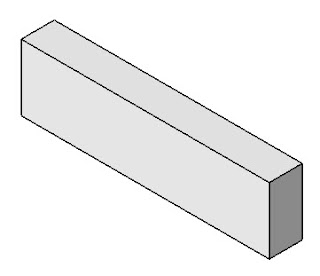

2. Cut a full depth slot through the beam with a plan size the same as the plan dimensions of the pocket. (Use “Modify” – “Opening by face”).
3. Draw a new beam with the depth equal to the depth of the parent beam, less the depth of the pocket and adjust the length and width to suit the plan dimensions of the pocket
4. Make sure the top of the inserted beam is at the same level as the bottom of the pocket and insert it in the hole
5. As the materials of both the beams are the same, they will join to appear to be the same element.
.
 I have found that getting the formatting of pages with multiple graphics on this blog very time consuming and frustrating. (I've now added the guidance note as three jpg's to the foot of this posting)
Guidance Note
Page 1
Guidance Note
Page 2
 .
.
 designreform.net Rocks!



 Posts
All Comments
Posts
All Comments